Reader-supported. We may earn a commission on purchases through our links. Disclosure ›

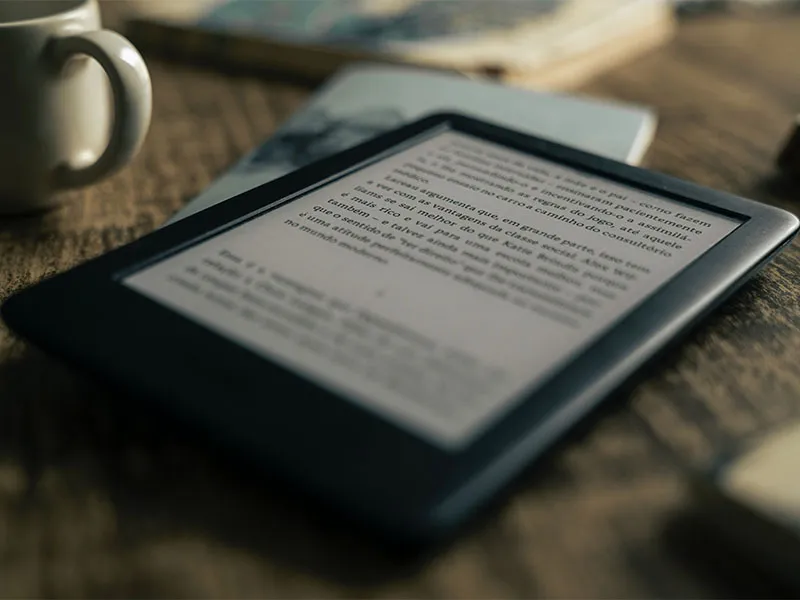
Yes, you can bring an Amazon Kindle on a plane. Kindles, Paperwhites, Kobos, Onyx Boox, and any other e-reader fly fine in both carry-on and checked baggage. You can also use them throughout the flight, with airplane mode on.
The full breakdown of TSA rules, when to use airplane mode, packing tips, and a few common gotchas below.
Quick Rules for Bringing a Kindle on a Plane
- Carry-on: Allowed. Most TSA agents will ask you to remove it from your bag for screening, just like a tablet or laptop.
- Checked baggage: Technically allowed, but pack it in your carry-on instead. Theft and damage are common in checked bags.
- Use during flight: Allowed at all stages on most major airlines, including takeoff and landing. Must be in airplane mode.
- Battery limits: All consumer e-readers fall well under FAA’s 100 Wh limit. A Kindle Paperwhite has a 5.92 Wh battery, a Kobo has 5.55 Wh, and an Onyx Boox tops out around 17 Wh.
- Charge it before flying: TSA can ask you to power on any device. A dead Kindle could be confiscated.
Frequently Asked Questions About Kindles and E-Readers on Planes
Are all e-readers allowed on planes (Kindle, Paperwhite, Kobo, Onyx Boox)?
Yes. All e-readers are treated the same way by TSA and the FAA, regardless of brand. They’re allowed in both carry-on and checked baggage. The only restriction is the FAA battery limit of 100 watt-hours (160 Wh with airline approval). Every consumer e-reader is well below this. The [amazon link=u0022B07PS737QQu0022 title=u0022Kindle Paperwhiteu0022] has a 5.92 Wh battery, the [amazon link=u0022B09HSRGZRLu0022 title=u0022Kobou0022] has 5.55 Wh, and the [amazon link=u0022B09JBC4C67u0022 title=u0022Onyx Booxu0022] has 17.1 Wh.
Can I use my Kindle during the flight?
Yes, with airplane mode on. Most major airlines (American, Delta, United, Southwest, JetBlue, British Airways, Lufthansa, Emirates) allow personal electronic device use at every stage of the flight, including takeoff and landing. Cabin crew will tell you when to switch to airplane mode if they want it on at any specific point. The actual reading is allowed throughout.
Can I read my Kindle in airplane mode without WiFi?
Yes. Once a book is downloaded to your Kindle, you don’t need any internet connection to read it. Airplane mode just turns off the wireless radios. Your library and downloaded content stay accessible. Just make sure the books you want to read are downloaded before takeoff (look for the checkmark or downloaded indicator on each title in your library).
How do I put my Kindle in airplane mode?
Swipe down from the top of the screen to open the quick menu, then tap the airplane icon. You can also access it through Settings u0026gt; Wireless u0026gt; Airplane Mode. Worth using even outside flights since it significantly extends battery life. It also pairs well with library e-book apps (Libby, OverDrive, cloudLibrary): borrow a book, download it, switch to airplane mode, and you can keep reading even after the loan period expires.
Does the Kindle app work in airplane mode?
Yes, but only for content you’ve already downloaded. The Kindle app on your phone or tablet shows your full library, but you can only read books you’ve downloaded to the device. Before your flight, open the app, go to Library, and tap each book you want to read on the plane to download it. Confirm they show up in the Downloaded tab.
Do I need to remove my e-reader at airport security?
In the US, yes. TSA requires removing all electronics larger than a phone for separate X-ray screening. That includes Kindles, tablets, laptops, and cameras. In Canada, the EU, and the UK, you can usually leave the e-reader in your bag. TSA PreCheck members in the US can also leave it in. Pack your Kindle near the top of your bag for fast access either way.
Should I pack my Kindle in carry-on or checked baggage?
Carry-on. Always. Three reasons: theft from checked bags is more common than most travelers realize, e-readers can break under the rough handling checked bags get, and you’ll want it on the plane anyway. The only time to consider checked is if you’re already over your carry-on limit, and even then, wrap it well in clothing.
Can I connect my Amazon Fire Tablet to airline in-flight entertainment?
Sometimes. The big issue is that airline entertainment apps usually launch on Google Play and Apple’s App Store but skip Amazon’s Appstore. American Airlines, Delta, and United entertainment apps aren’t on Amazon’s Appstore as of this writing. Workaround: u003ca href=u0022https://www.howtogeek.com/232726/how-to-install-the-google-play-store-on-your-amazon-fire-tablet/u0022u003einstall the Google Play Store on your Fire Tabletu003c/au003e (a doable but slightly technical process).u003cbru003eu003cbru003eFor non-airline entertainment, Fire Tablets work great. u003ca href=u0022https://www.cleverjourney.com/watching-netflix-on-planes/u0022u003eDownload Netflixu003c/au003e, Prime Video, Max, or Disney+ content for offline viewing before you board.u003cbru003eu003cbru003eu003cemu003eu003cstrongu003eShop now:u003c/strongu003e [amazon link=u0022B08BX7FV5Lu0022 title=u0022Amazon Fire HD 10 tabletu0022]u003c/emu003e
Tips for Traveling With a Kindle
1. Charge to 100% Before You Leave
Kindle batteries last weeks, not hours, but a dead one at security creates problems. TSA can ask you to power any device on for inspection, and a non-responsive device can be confiscated. Worst case, you’re stuck on a long flight with nothing to read.
Charging the night before takes 2 hours and gives you weeks of reading time. No reason not to.
2. Pack a Plug Adapter (Not a Voltage Converter)
Kindle chargers are dual voltage (100-240V), which means they work anywhere in the world. You only need a [amazon link=”B07N1KWMQT” title=”plug adapter”] to fit foreign outlets, not a voltage converter.
Check your charger if you’re unsure. The fine print on the brick says “Input: 100-240V” if it’s dual voltage. Most modern phone, tablet, and e-reader chargers are. The old single-voltage devices that fry from incorrect outlets are mostly hair tools and old electronics.
3. Always Carry Your Kindle in Your Carry-On
Don’t put any electronics in checked baggage. Theft is real, drops happen, and screens crack. Carry-on is also faster to retrieve at your destination.
Read Next: Best 17-Inch Laptop Backpacks
4. Download Content Before You Leave WiFi
Kindles need internet to download new books, but not to read them. Download everything you want to read before you reach the airport, since airport and in-flight WiFi can be slow or nonexistent.
If you forgot, you can usually still download over airport WiFi or, on flights with paid in-flight WiFi, while in the air. Just don’t count on it.
5. Be Cautious With Public WiFi
Airport and hotel WiFi are convenient but not secure. Hackers can intercept data on open networks, including login credentials and account info.
Don’t shop, bank, or log into anything sensitive on public WiFi. Use your phone’s hotspot for anything that needs real security, or use a VPN if you can.
Read Next: Can I Use My Mobile Data During the Flight?
Find Out the Packing Rules for Similar Items
Author

Can I bring something else on a plane? Search TSA rules ›